October 2025 Newsletter

Welcome to the SynergyOS Monthly Newsletter for October 2025
Welcome to the SynergyOS Monthly Newsletter for October 2025. This month we’re releasing a major upgrade to the AI Copilot with OpenAI’s new Agents SDK.
AI Copilot Chats
We upgraded SynergyOS Copilot with multi-step planning, tool use, longer context, and smoother streaming. It works inside Chats and respects your organization’s permissions, retention, and audit policies.
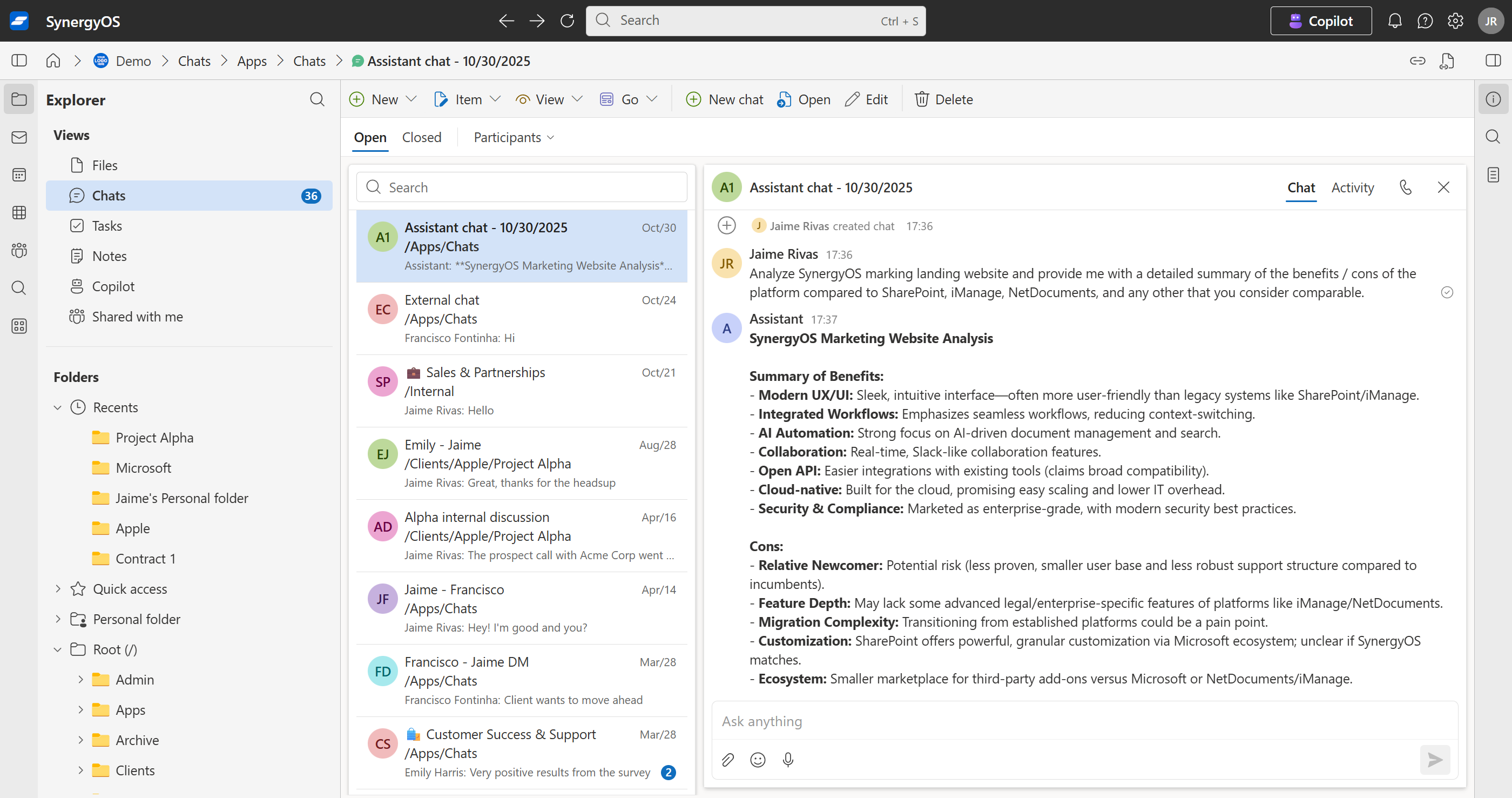
What you can do
-
AI chat, saved in your folders
Start a ChatGPT-style conversation that lives inside any SynergyOS folder. Your team can revisit, continue, and reference it later, just like any other item.
Use it for: brainstorming, drafting, quick research.
Tip: reference one or more files to compare; Copilot highlights differences and suggests review points. -
“Summarize this file” and write to the item description
Copilot reads a file, generates a concise summary, and saves it into the Description field. This boosts discovery because you can filter and search just the description field for faster retrieval. Prompt: “Summarize this PDF and save to Description.” -
Automatic tagging (keywords or controlled taxonomy)
Copilot proposes tags from content or applies tags from your pre-defined, customer-defined list. Works on single files or in bulk. Prompt: “Tag these docs with relevant topics; use our official taxonomy where possible.” -
Natural-language actions inside Synergy
Ask for operations and Copilot generates deep links with the right query parameters so you can click and execute. Examples:- “Search for NDA and termination within /Clients/Acme.” → Copilot returns a ready-to-open search URL.
- “Show items tagged renewal-risk in /Legal/2025.” → one-click filtered view.
- “Create a note titled Q4 legal risks in /Board/Prep with these bullets.”
-
Thread summaries and follow-ups
Summarize long discussions and draft replies in your tone. Prompt: “Summarize this thread for the exec channel and propose next steps.” -
Fact pulls with citations
Ask questions and Copilot extracts answers from shared files with inline citations back to the sources. Prompt: “From the latest MSA and SOW, what are termination rights? Cite the clauses.” -
Translate and adapt
Convert messages for different audiences or languages while preserving intent. Prompt: “Rewrite this update for a client-facing tone in Spanish.” -
Turn decisions into tasks or notes
Capture outcomes directly from chat into tasks or notes in the right folder, with assignees and due dates if you specify them. Prompt: “Create a task Review Acme renewal redlines for Marta due Friday in /Clients/Acme/Renewal.”
Governance and audit
- Data stays in your SynergyOS server. Copilot conversations and outputs are stored as items in your folders.
- Commit / Audit trail by default. Actions, summaries, tags, and anonymizations are recorded with who, what, and when. It uses the same commit-based system as all user actions.
- Permissions-aware. Copilot can only access and act on what the user is allowed to see.
Roadmap
In November we’re focusing on:
- Copilot: additional functionalities.
- Chats:: improvement and new features.
- Enhanced onboarding: simplified onboarding and invite flows.
The SynergyOS Team